
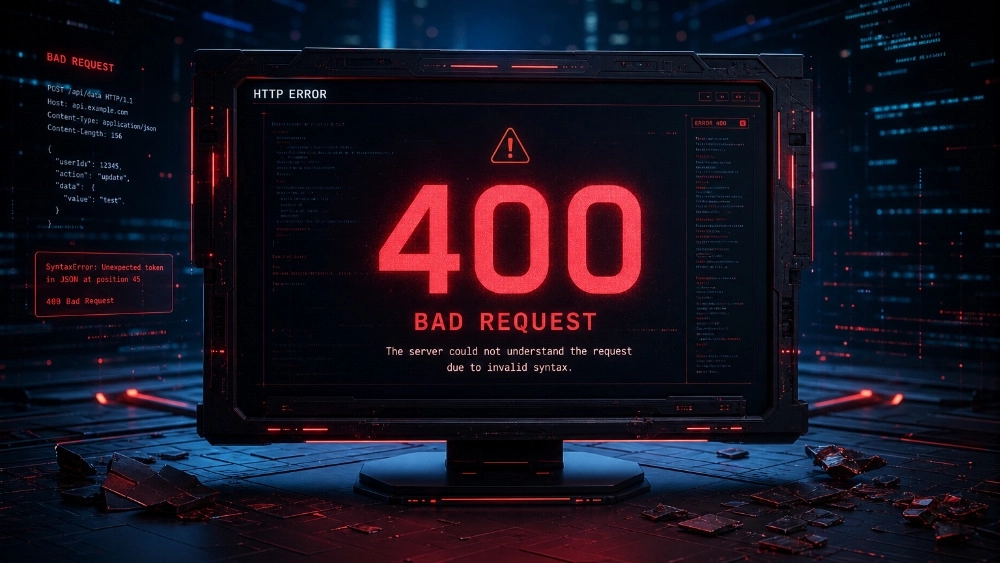
A complete guide for users and webmasters
When browsing the web or managing a website, encountering HTTP status codes is one of the common occurrences. Among these codes, 400 series errors are very frequent and usually occur due to a problem on the user side (Client-Side). Knowing the types of error 400 and how to fix it is very important not only for normal Internet users, but also for site managers and SEO specialists. These errors can severely reduce the user experience and have a negative impact on the site's SEO. In this comprehensive article, we are going to examine in detail the types of error 400 and how to fix it, so that if you encounter them, you can quickly fix the problem.
What is error 400 or client error?
HTTP status codes fall into different categories. 200 series codes indicate successful requests, 300 series codes for redirects, 500 series codes for server errors, and 400 series codes for user-side errors.
When you encounter one of the 400 series errors, the server is telling you, "There is a problem with the request you sent, and I can't process it." This problem may be due to mistyped address, lack of access, browser cache or even network problems. To have a healthy and optimized website, understanding the types of error 400 and how to fix it is an essential skill for every webmaster.
Why is it important to know the types of error 400 and how to fix it for SEO?
Search engines like Google place a lot of importance on user experience (UX). If users encounter consecutive errors on your site, they will immediately leave the site, which increases the bounce rate. In addition, Google bots will also notice that the site structure is problematic and your crawl budget may be wasted if they encounter 400 errors. Therefore, knowing the types of error 400 and how to fix it is directly related to maintaining your rankings in Google.
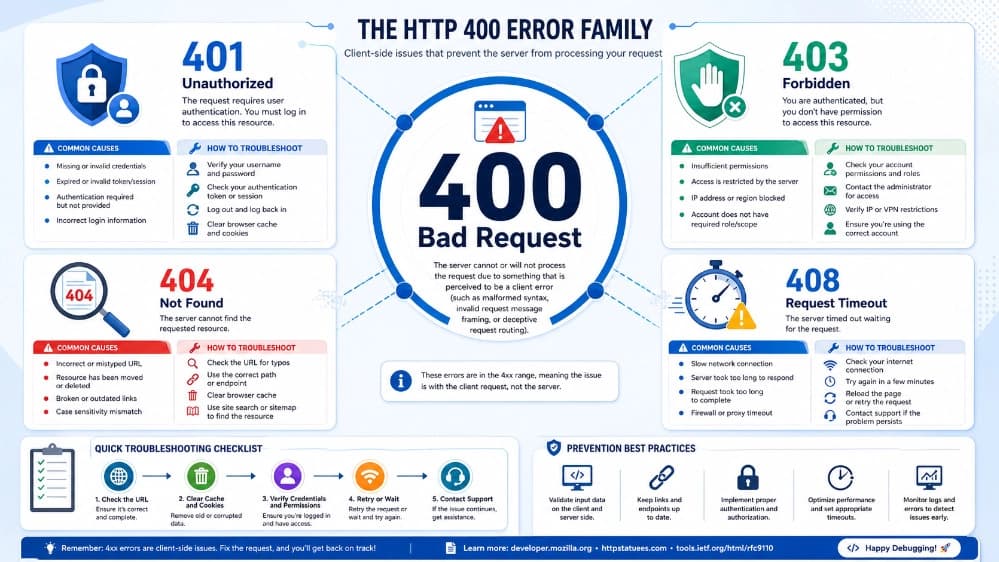
A detailed examination of the types of error 400 and how to fix it
In this section, we introduce the most common errors of the 400 series. Learning this list will help you to process the types of error 400 and how to fix it with a more open view.
1. Error 400 Bad Request
This error means "bad request". The server cannot understand the request sent by the browser. This problem usually occurs due to invalid syntax (such as illegal characters in the URL) or corrupted data.
Fixing method:
Check the URL carefully so that it does not have extra characters or typos.
Clear your browser cache and cookies.
If you are uploading a file, reduce the size of the file, because sometimes the server shows this error due to the large size of the file.
2. 401 Unauthorized
errorThis error occurs when you need to authenticate (username and password) to enter a page, but either you did not enter the information or the information entered is incorrect.
Fixing method:
Make sure you are logged in with the correct username and password.
If you are a webmaster, check your hosting security settings (such as Password Protection) to make sure you are not blocking users by mistake.
3. 403 Forbidden
errorUnlike the 401 error, which is a problem of lack of authentication, in the 403 error, you may be logged into your account, but the server does not allow you to access that particular page or file. In other words, you are banned!
Fixing method:
Check the access level (File Permissions) of folders and files on the host. The standard access level for folders is 755 and for files is 644.
Check the .htaccess file. Sometimes wrong codes in this file block access.
Temporarily disable your WordPress site's security plugins.
4. 404 Not Found
errorOne of the most famous web errors! This error is displayed when the server cannot find the page or resource you requested. This means that the page has been deleted or its address has been changed.
Fixing method:
As a user, check the URL or use the site search feature.
As a webmaster, find pages that give 404 errors and redirect them to new relevant pages with 301 redirects so that the site's SEO is not damaged.
This error occurs when the HTTP request method (such as GET or POST) is not supported by the server for that particular address.
Fixing method:
Check whether a request is sent to the server with the wrong method in the site code.
Check Server Logs to find the blocking module or script.
This error is issued when the server waits more than the allowed time to fully receive the request from the user. This means your internet connection is too slow or the server is too busy.
Fixing method:
Refresh the page (F5 key).
Check your internet connection.
Site administrators can upgrade their server resources so that processing is done faster.
This error occurs when a user (or a bot) sends too many requests to the server in a short period of time. This is a defense mechanism against DDoS attacks or spam bots.
Fixing method:
Wait a few minutes and try again.
Site administrators should optimize the server's Rate Limiting settings or services such as Cloudflare.
جهت ارتباط با پشتیبانی سایت کلیک کنید.
General steps for 400 error types and how to fix it
2. Clearing the cache and cookies: Browsers store information on sites to load them faster next time. Sometimes the interference of old information causes error 400. In Chrome browser, you can do this by pressing Ctrl + Shift + Delete keys. This is one of the most important parts in learning the types of error 400 and how to fix it.
3. Disabling extensions: Some browser extensions (such as ad blockers or IP modifiers) manipulate site codes. Disable them and test again.
4. Changing DNS: Old DNS caches in your system can redirect you to wrong servers. Solve this problem by flushing DNS (ipconfig /flushdns command in CMD).
5. Check antivirus and firewall: Sometimes your Windows firewall or antivirus mistakenly detects a dangerous site and blocks your request, which appears as error 400.
How do site administrators deal with 400 error types? (expert view)
So far, we have looked at the story from the user's point of view. But as a business manager or SEO specialist, learning the types of error 400 and how to fix it is an inevitable necessity. 400 errors cause rank drop, wasted crawl budget and customer dissatisfaction. If your website is a business, these errors directly mean lost sales.
Using the Google Search Console: Go to the Pages section of the Search Console and look for 404 errors and other 400 series errors. Fixing these errors is crucial for SEO.
Checking the server log file (Error Logs): If you use cPanel or Direct Admin, the Error Logs section will tell you exactly which file or request caused the 400 error.
Continuous Content Management System Update: If you use WordPress, always keep WordPress core, theme and plugins up to date. The interference of plugins is one of the main reasons for the 400 Bad Request or 403 Forbidden error in WordPress.
Special 404 page design: For 404 error, design a beautiful page that includes a search box and links to important pages of the site so that the user does not leave your site.
Final conclusion
In this article, we tried to comprehensively address the issue of error 400 and how to fix it. As you read, 400 series errors (Client-Side Errors) are generally rooted in invalid requests, access issues, and browser cache. Although these errors seem scary, they can be easily resolved by taking a few simple steps, such as checking the URL, clearing the cache, and checking permissions.
Remember that for a professional website, constant monitoring of errors and quick action to fix them is the main condition for success in the digital and SEO world. We hope that the tutorial on the types of error 400 and how to fix it was useful for you and that you can use this guide to improve your site's user experience to the highest possible level.